Showing posts with label Sandra Chang-Adair. Show all posts

Thursday, November 3, 2016

FTU "Blue Steam"


Blue Steam


This tutorial was written by me on November 03, 2016 using my own ideas.

Any resemblance to others is coincidental and accidental.

This tutorial assumes you have a working knowledge of psp and is written in PSPX6.


Supplies:

"Steampunk Lion" tube by Sandra Chang-Adair - tube/license currently available at ADI

"Steampunk Age" FTU scrap kit by Lina's Designz - unfortunately the kit seems to be no longer on her blog so please use a suitable replacement


Filters:

Xero_Fritillary


Fonts:

Calamity Jane NF


Abbreviations:

DS_Drop Shadow

ANL_Add New Layer

EC_Eye Candy

GG_Gradient Glow

AS_Animation Shop

C/P_Copy and Paste

FF_Flood Fill


Open blank 600x600 canvas

ANL_Select All

C/P paper 1 into selection

Select none

Apply mask

Duplicate

C/P Frame 4

Duplicate

Image_Free Rotate_Right 10

Duplicate

Image_Mirror_Flip

Arrange so the three frames overlap but do not align

Magic Wand

Select the inside of the original frame

Selections_Modify_Expand 3

ANL below frame

FF #59769e

Xero_Fritillary_5_30_10_20

Sharpen

C/P tube

DS_0_0_75_25_Black

C/P the following elements, duplicating, mirroring, flipping, rotating, sharpening, placing as shown:

Books

Cellphone

Clock (1)

Clock (2)

Decor (2)

Fire Flower

Flower Pot

Gem Chain

Hat

Heart

Horse

Leafs

Old Book

Padlock

Ring

Tree

DS frames and all elements except Fire Flower_0_0_75_10_Black

Add all correct copyright/license information

Name_ Calamity Jane NF _125_ #99bcf2

DS_0_0_100_5_Black

Repeat

Save!!


Saturday, September 21, 2013

Snags - Bliss

These snags are  made with the awesome tube, "Bliss" by Sandra Chang-Adair and the wonderful tutorial, "Graph" by Rich.

Tube/license can be purchased at Artistic Dreams Imaging and the tutorial can be found on Rich's site.


Wednesday, August 14, 2013

FTU - Hustler

Hustler


This tutorial was written by me on August 14, 2013, using my own ideas. Any resemblance to others is coincidental and accidental. This tutorial assumes you have a working knowledge of psp and is written in PSPX.
Please leave some love when downloading supplies. The artists/creators work hard to make/share their work with us, so let's be appreciative. Please use all correct copyright/license information and follow all TOU’s. Let’s give credit where credit is due.
As always, tutorials are only a guideline. If you don't have the exact supplies, use ones you have or ones you choose.


Supplies:

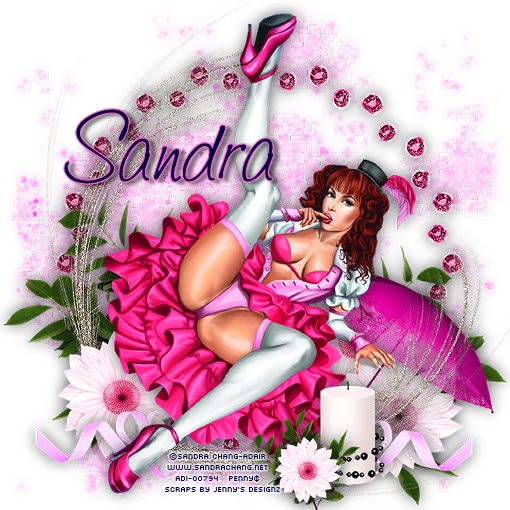
“Valentine Hustler” tube by Sandra Chang-Adair – license/tube available at ADI
“Pinkie Pie” FTU scrap kit by Jenny’s Designz
Xero_Fritillary
Font_Saginaw


Abbreviations:
EC = Eye Candy
GG = Gradient Glow
DS = Drop Shadow
C/P = Copy and Paste
FF = Flood Fill
ANL = Add New Layer
AS = Animation Shop


Open blank 600x600 canvas

C/P Glitter1_re-size to fit nicely on canvas
Duplicate_On original_Gaussian Blur_5
Xero_Fritillary_5_30_10_24
Effects_Edge_Effects_Enhance

C/P Frame 6
C/P tube_resize and place as shown

C/P the following elements, re-sizing, duplicating, mirroring, and placing as shown:

Candle
Feather – sharpen once
Flower 1
Flower 2
Leaves 2
Ribbon
Umbrella 1

DS all layers except the 2 glitter layers_0_0_50_25_Black

Add all correct copyright/license information

Name_Saginaw_72_stroke 1 #ff66ca_Fill Black
DS_2_5_50_5_Black

Save!!!