Showing posts with label 4th of July. Show all posts

Saturday, July 9, 2022

Friday, February 3, 2017

No Scraps "Patriotic Rocker"


Patriotic Rocker


This tutorial was written by me on January 25, 2017 using my own ideas.

Any resemblance to others is coincidental and accidental.

This tutorial assumes you have a working knowledge of psp and is written in PSPX6.


Supplies:

"American Flag Top With Guitar" tube by Al Rio - this tube was purchased when Mr. Rio was with indie-Zine. Sadly, Mr. Rio passed away and his estate is no longer selling his tubes. Please use the appropriate license you have if you use this or any of Mr. Rio's tubes.

Template 107 by Kristin at Toxic Desirez  

Mask 314 by WeescotsLass  Creations - look on right side of page under "My Masks" and you will find the download links


Filters:

Eye Candy 4000_Gradient Glow
 

Fonts:

Sabien


Abbreviations:

DS_Drop Shadow

ANL_Add New Layer

EC_Eye Candy

GG_Gradient Glow

AS_Animation Shop

C/P_Copy and Paste

FF_Flood Fill


When working with templates, always Shift+D to duplicate, close original,

then on each layer, select with magic wand (or Select All, Float, De-float), ANL,

close/delete the original, do steps required in tutorial, select none


***Make a gradient:

Open Gradient box

Click "Edit"

Change the colors on the bar to look like this:


Click "Save As" and name your gradient

Now set this as your foreground_Angle 228_Repeats 0***


ANL to bottom of canvas

FF with gradient

Apply mask

Rectangle 1_ #334f7e

Effects_Texture Effects_Blinds_5_50_ #000080_Horizontal

EC 4000_GG_3_25_100_ #ff0000

Rectangle 2_ #941d14

Effects_Texture Effects_Blinds_5_50_ #800000_Horizontal

EC 4000_GG_3_25_100_ #0000c0

Merge Rectangle 1 and 2 together

C/P tube placing to the left

Duplicate_Mirror

Select both rectangles with magic wand

Position the two tubes so the parts you like are showing in the selection

Invert_Delete on each tube_Select none

Blend mode of both tubes_Soft Light

Circle 1_Add Noise_Uniform 50

EC 4000_GG_3_25_100_ #0000c0

Glitter Circle 1_ #c00000

Circle 2_Add Noise_Gaussian 75

EC 4000_GG_3_25_100_ #0000c0

Glitter Circle 2_ #4040ff

Circle 3_FF with your gradient

C/P tube close up

Invert_Delete

Opacity 45

Words_ #334f7e

Star_ EC 4000_GG_3_25_100_ #0000c0

Dotted Circle_ EC 4000_GG_3_25_100_ #ff0000

Stars_ #0000ff

Word Art_ #ff0000

EC 4000_GG_3_25_100_ #0000c0

Credits_Delete

C/P tube

DS_0_0_75_25_Black

DS each template layer_0_0_75_10_Black

Add all correct copyright/license information

Name_ Sabien_72_ #c00000

EC 4000_GG_3_25_100:


DS_2_2_75_10_Black

Save!!


Wednesday, June 8, 2016

FTU "Sassy Southern" 3 Piece Forum Set


Sassy Southern 3 Piece Forum Set


This tutorial was written by me on June 08, 2016, using my own ideas. Any resemblance to others is coincidental and accidental. This tutorial assumes you have a working knowledge of psp and is written in PSPX6. 
 

Supplies:


"RebelGirlUSA" tube by Greg Andrews - tube/license currently available at ADI


Mask of choice

Word Art/Saying of choice or mine below


Click image, then right click and save full size png
 

Filters:

Penta.com_Dot and Cross

Xero_Porcelain


Fonts:

Mrs Blackfort


Abbreviations:

DS_Drop Shadow

ANL_Add New Layer

EC_Eye Candy

GG_Gradient Glow

AS_Animation Shop

C/P_Copy and Paste

FF_Flood Fill


Open blank 600x600 canvas


ANL

Select All

C/P paper 5 into selection

Select none

Apply mask


C/P frame 4

Select inside with magic wand

Selextions_Modify_Expand_3

ANL below frame

C/P paper 10 into selection

C/P tube close up positioning face within the selected area

Selections_Invert_Delete_Select none

Blend Mode of tube_Luminance (L)

Opacity_35


Duplicate frame 4

Highlight original frame

Adjust_Blur_Gaussian 15

Adjust_Add Noise_50


DS frame copy frame 4_0_0_100_10_Black


C/P lace mat

Place to the upper left

Move lace mat down so it is directly above the mask layer

Duplicate

Move duplicate to the bottom right

DS each_0_15_20_5_Black


C/P stars positioning above frame 4

Duplicate

Move duplicate down directly above lace mat layer and to the left slightly as shown

DS each_0_15_20_5_Black


C/P and position as shown:

Car

Star 4

DS_0_15_20_5_Black


C/P Word Art

DS_0_0_100_5_#ff0000

DS_0_0_100_5_White

Repeat White DS


C/P tube

Duplicate

Highlight original tube
Adjust_Blur_Gaussian_15

Penta.com_Dot and Cross_72_10_2

Sharpen


Highlight  tube copy_Xero_Poreclain_Default

DS_0_15_20_5_Black


Add all correct copyright/license information


Name_ Mrs Blackfort_72_stroke 1 #ff0000_fill Black

DS_2_5_50_5_Black


Save!!


For Signature Tag:


Crop Tool_600x250

Position to your liking on main tag

Crop


Delete anything you don't want on sig


ANL to top

Select All

FF #ff0000

Contract 2

FF White

Contract 2

FF #0000ff

Contract 2

Delete

Select none

Duplicate


Highlight original red, white, blue frame

Adjust_Blur_Gaussian 15

Adjust_Add Noise_50


Highlight red, white, blue frame copy

DS_0_0_100_10_Black


Add all correct copyright/license information


Name_ Mrs Blackfort_72_stroke 1 #ff0000_fill Black

DS_2_5_50_5_Black


Save!!


Avatar:


Open blank 150x150 canvas


ANL to top

Select All

FF #ff0000

Contract 2

FF White

Contract 2

FF #0000ff

Contract 2

Delete

Select none

Duplicate


Highlight original red, white, blue frame

Adjust_Blur_Gaussian 15

Adjust_Add Noise_50


Highlight red, white, blue frame copy

DS_0_0_100_10_Black


C/P from main tag and position as shown


Crop to 150x150


Add all correct copyright/license information


Name_ Mrs Blackfort_72_stroke 1 #ff0000_fill Black

DS_2_5_50_5_Black


Save!!

Sunday, June 5, 2016

FTU - "Patriotism"

Patriotism


This tutorial was written by me on June 05, 2016, using my own ideas. Any resemblance to others is coincidental and accidental. This tutorial assumes you have a working knowledge of psp and is written in PSPX6. 
 
 
Supplies:
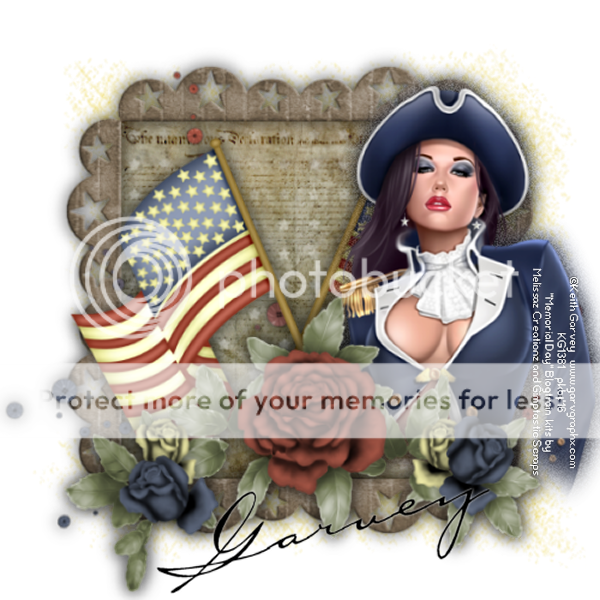
"Revalution" tube by Keith Garvey - tube/license available at Garv-Girls PSP Tubes
Mask 63 by Insatiable Dreams (Mask 4 set)
 
Filters:
No outside filters
 
Fonts:
Carlotta 
 
 
Abbreviations:
DS_Drop Shadow
ANL_Add New Layer
EC_Eye Candy
GG_Gradient Glow
AS_Animation Shop
C/P_Copy and Paste
FF_Flood Fill
 
 
Open blank 600x600 canvas
 
ANL
FF #edd542
Apply mask

C/P GS-Frame 1
Select inside of frame with magic wand
Selections_Expand_2
ANL below frame
C/P GS-Paper 1 into selection
ANL
C/P GS-Paper4 into selection
Select none
Blend Mode_Hard Light
 
C/P MC-E05
C/P MC-E03
C/P MC-E02
Place these as shown
 
C/P tube
Freehand Selection Tool_Select around the parts of tube showing below/to the right of MC-E02
Selections_Modify_Feather_35
Hit delete a few times
Select none
 
Duplicate tube
On original tube_Adjust_Blur_Gaussian 10
Add noise_Uniform 35
 
DS duplicate tube, frame, and each element_0_0_65_25_Black
 
Add all correct copyright/license information
 
Name_ Carlotta_72_Black
DS_0_0_100_5_White
 
Save!!!


FTU - "Patriotism"

Patriotism


This tutorial was written by me on June 05, 2016, using my own ideas. Any resemblance to others is coincidental and accidental. This tutorial assumes you have a working knowledge of psp and is written in PSPX6. 
 
 
Supplies:
"Revalution" tube by Keith Garvey - tube/license available at Garv-Girls PSP Tubes
Mask 63 by Insatiable Dreams (Mask 4 set)
 
Filters:
No outside filters
 
Fonts:
Carlotta 
 
 
Abbreviations:
DS_Drop Shadow
ANL_Add New Layer
EC_Eye Candy
GG_Gradient Glow
AS_Animation Shop
C/P_Copy and Paste
FF_Flood Fill
 
 
Open blank 600x600 canvas
 
ANL
FF #edd542
Apply mask

C/P GS-Frame 1
Select inside of frame with magic wand
Selections_Expand_2
ANL below frame
C/P GS-Paper 1 into selection
ANL
C/P GS-Paper4 into selection
Select none
Blend Mode_Hard Light
 
C/P MC-E05
C/P MC-E03
C/P MC-E02
Place these as shown
 
C/P tube
Freehand Selection Tool_Select around the parts of tube showing below/to the right of MC-E02
Selections_Modify_Feather_35
Hit delete a few times
Select none
 
Duplicate tube
On original tube_Adjust_Blur_Gaussian 10
Add noise_Uniform 35
 
DS duplicate tube, frame, and each element_0_0_65_25_Black
 
Add all correct copyright/license information
 
Name_ Carlotta_72_Black
DS_0_0_100_5_White
 
Save!!!


FTU Forum - "Brave"


Brave


This tutorial was written by me on June 05, 2016, using my own ideas. Any resemblance to others is coincidental and accidental. This tutorial assumes you have a working knowledge of psp and is written in PSPX6. 


Supplies:


"bvl_jenny" tube by Baron Von Lind - tube/license currently available at ADI


Word art by me...click on image, then right click and save full size png


Filters:

No outside filters


Fonts:

Perolet
 

Abbreviations:

DS_Drop Shadow

ANL_Add New Layer

EC_Eye Candy

GG_Gradient Glow

AS_Animation Shop

C/P_Copy and Paste

FF_Flood Fill


Open blank 600x250 canvas


Select All

C/P paper 1 into selection

Select none


C/P element 12

Place on the left side of tag

Blend Mode_Soft Light


C/P element 36

Leave in center of tag


C/P element 57

Blend Mode_Soft Light


C/P word art

DS_0_0_100_5_ #869963

Repeat DS

Sharpen More


C/P element 54

Re-size and Place in bottom left corner

Duplicate

Image_Mirror

Image_Flip

Merge down

DS_0_0_75_10_Black


C/P tube placing to the right on tag

Duplicate

On original_Adjust_Blur_Gaussian_10

Add noise_Uniform 50


Highlight top tube

DS_0_0_75_25_Black

Sharpen


ANL to top

FF #837363

Select All_Contract 2_Delete_Select none

DS_0_0_100_10_Black

Repeat DS


Add all correct copyright/license information


Name_ Perolet_24_Black

DS_0_0_100_5_White


Save!!!


Friday, May 29, 2015

Animated No Scraps Forum - "Patriotic Girl"

Patriotic Girl


This tutorial was written by me on May 29,2015, using my own ideas. Any resemblance to others is coincidental and accidental. This tutorial assumes you have a working knowledge of psp and is written in PSPX6.
 
 
Supplies:
"CLS_AmericanBeachBabe" tube by CheriLynn Shull - tube/license available at ADI
 
Filters:
DSB Flux_Bright Noise
AAA Frames_Foto Frame
 
Fonts:
Georgia

 
Abbreviations:
EC = Eye Candy
GG = Gradient Glow
DS = Drop Shadow
C/P = Copy and Paste
FF = Flood Fill
ANL = Add New Layer
AS = Animation Shop


Open a blank 600x250 canvas
Using Selection Tool, make a selection 600x80
Add 3 new layers
FF one layer Red, one layer White, and one layer Blue
Select none
Arrange layers so the edges are touching but not overlapping
 
From top to bottom:
Red
White
Blue
 
Merge Visible
Duplicate
Hide this layer for now
 
Highlight original merged layer
Effects_Distortion Effects_Wave_0_1_3_15_Repeat
 
Duplicate twice
 
Magic Wand_Select the Red and Blue areas
DSB Flux_Bright Noise_30
Repeat on other 2 layers clicking "MIX" each time
Select none
 
On each of these 3 layers, apply AAA Frames_Foto Frame_change width to 20
 
C/P tube
Re-size and place on the right side
DS_0_0_75_50_Black
 
Open closed merged layer
Bring to top
Select All
Contract 3
Delete
Select none
DS_0_0_100_10_Black
 
Add all correct copyright/license information
 
Name_Georgia_48_Black
DS_2_5_50_5_Black
 
Animating:
 
Open AS
 
Copy Merged
 
AS
Paste As New Animation
 
PSP
Close top wave layer
Open middle wave layer
Copy Merged
 
AS
Paste After Current Frame
 
PSP
Repeat for bottom wave layer
 
View animation
 
If happy, Save!!!